
Which chip will make our timeline snap back to life — and our renders disappear? Spoiler: more cores + smarter cache = happy editors.
A slow timeline steals our time. We lose minutes to scrubbing and hours to exports. Swap the right CPU and editing stops feeling like punishment.
We put the latest multi-core and cache-boosted chips through real editing workflows. Some excel at timeline responsiveness, others obliterate batch renders. We'll tell you which one to pick for snappy playback, fast exports, or unstoppable throughput.
Top Picks







Ryzen 9 9950X3D 3D V-Cache CPU
We observe remarkable real-world gains in timeline responsiveness and export times thanks to the massive 3D V-Cache. This makes a measurable difference in workflows that rely on cache-sensitive codecs and effects.
Why You'll Love It
- 3D V-Cache dramatically improves frame-by-frame editing responsiveness
- 16 cores / 32 threads — excellent multi-threaded throughput
- Up to very high boost frequencies for single-thread tasks
- Large 144MB combined cache for demanding workloads
Drawbacks
- Premium price compared with standard SKUs
- No cooler included — requires capable cooling
- Benefits vary by application; not every workload gains equally
Why this matters for video editors
We’ve seen CPUs with large on-die cache provide tangible benefits when editing complex timelines, working with many layers, or using cache-heavy effects. The 3D V-Cache architecture amplifies the CPU’s ability to serve data quickly to cores, which often reduces stutter and improves responsiveness in the editor.
What we like
- Massive 144MB of cache that accelerates timeline scrubbing, frame renders, and repeated codec access
- 16 cores and 32 threads keep background encodes and rendering tasks moving while we continue working
- Strong boost clocks for tasks that still depend on single-thread performance
Who should pick this one
This CPU is ideal for creators who want the best interactive editing experience and faster iterative exports. If you frequently adjust color, stack effects, or rely on software that benefits from large caches, we see clear gains in day-to-day productivity.
Practical considerations
Expect to pay a premium for the 3D cache benefits; the improvement depends on software optimizations and file formats. Cooling and a modern AM5 platform (DDR5, PCIe 5.0) are required for best results, so factor those costs into your build.
Threadripper PRO 5975WX 32-Core Workstation CPU
We see unmatched throughput for massive projects — huge multicore counts accelerate renders, multi-layer timelines, and batch processing. This is engineered for high-end workstation workloads rather than typical desktop edits.
Why You'll Love It
- 32 cores and 64 threads for massive parallel workloads
- Large 128MB cache suited to big data sets and renders
- Enterprise-class features and workstation platform support
- Designed for sustained heavy compute and multi-user scenarios
Drawbacks
- Very high price — aimed at studios and professionals
- Requires sWRX8 workstation motherboard and server-style cooling
- Not energy- or cost-efficient for casual creators
Designed for professional workstations
We regard this processor as a studio-grade engine built to handle the largest video projects, long multi-pass renders, and simultaneous heavy tasks like encode farms or complex simulations. Its platform is purpose-built for reliability and longevity in enterprise environments.
Performance and features
- 32 cores / 64 threads deliver linear improvements in parallelized tasks such as multi-frame rendering and batch exports
- Large cache and memory bandwidth on workstation-class motherboards help with huge timeline data sets and high-resolution footage
- Built for sustained loads and multi-user setups where throughput and stability are paramount
When to choose it
If you run a post house, VFX studio, or require workstation reliability for mission-critical workloads, this is where the returns justify the cost. We’ve seen dramatic time savings on large exports and multi-node rendering jobs.
Practical setup notes
The platform requires a compatible sWRX8 motherboard and serious cooling; plan for increased power and thermal infrastructure. For single-user editors on a budget, a high-end desktop CPU will often be a more cost-effective choice.
Intel Core i9-14900K Cutting-Edge Creator CPU
We experience outstanding single-core responsiveness that benefits timeline interaction and plugin processing, while the overall core count keeps multi-tasking smooth. This is a go-to choice when absolute desktop speed matters.
Why You'll Love It
- Extremely high boost clocks for the fastest scrubbing and previewing
- Strong multi-threaded capability for exports and background tasks
- Latest platform features (PCIe 5.0, DDR5 support)
- Great for mixed workloads: editing, streaming, gaming
Drawbacks
- Premium price relative to previous-gen parts
- Requires robust cooling to sustain peak clocks
- Power usage can spike under heavy loads
Why we recommend it for demanding editors
We see this model as one of the fastest consumer desktop parts for editors who prioritize the best possible interactive performance. High single-thread speeds reduce the friction of day-to-day editing, compositing, and color-correction work.
Feature highlights
- Very high boost clocks and hybrid core improvements translate to snappy timeline playback and fast thumbnail generation
- Modern platform features like PCIe 5.0 and DDR5 support future-proof high-bandwidth storage and GPU upgrades
- Excellent for creators who mix editing with gaming or live streaming duties
Workflow impact and examples
In our tests, complex timelines with heavy grading and effects responded faster than on previous generations. Background exports proceeded without ruining interactive performance, making iterative edits much more efficient.
Practical buying notes
Plan for high-quality cooling and a modern motherboard to extract the best performance. For studios managing many identical workstations, the incremental gains versus slightly cheaper parts should be weighed against budget and fleet management costs.
Ryzen 9 7950X High-Core Desktop CPU
We see exceptional multi-threaded throughput that makes complex timelines and renders noticeably faster. The chip balances high single-core boost with many cores for demanding 4K/8K editing tasks.
Why You'll Love It
- 16 cores / 32 threads for heavy multitasking
- Very high boost clocks for snappy responsiveness
- Large cache that helps real-world editing workloads
- AM5 platform with modern feature support
- Integrated Radeon graphics for basic display tasks
Drawbacks
- No cooler included — add a capable cooler
- High power draw under sustained loads
- Requires an AM5 platform (motherboard + DDR5)
Overview
We find this chip to be a fantastic performer for creators who need consistent, heavy multi-threaded throughput without sacrificing single-thread snappiness. It’s aimed at editors who frequently work with complex timelines, multiple effects, and high-resolution footage.
Key benefits and real-world strengths
- 16 cores and 32 threads give dramatic improvements when exporting, rendering, or running multiple background tasks concurrently
- Up to very high boost frequencies for faster scrubbing and responsive timeline interaction
- Large combined cache helps with repeated access to working data and codecs
Practical notes and use cases
We recommend this CPU for serious YouTubers, indie filmmakers, and freelance editors who need a fast, desktop-class machine. Typical workflow benefits include faster export times for H.264/H.265, improved live playback with hardware-accelerated codecs, and the ability to run background encodes while continuing to edit.
Limitations and setup tips
Power and cooling matter with this part. Plan for a robust AIO or custom loop if you push long renders at full tilt, and budget for an AM5 motherboard and fast DDR5 RAM. If you're on a tight budget or prefer lower power consumption, there are cheaper options, but they won't match the raw editing throughput we get here.
Threadripper 3970X 32-Core Content Creation CPU
We see this part excel when you push many cores simultaneously, dramatically cutting render and encode times. It’s built for creators who offload vast amounts of work to the CPU rather than distributed render farms.
Why You'll Love It
- 32 cores / 64 threads for outstanding render speeds
- High boost clock for better single-threaded responsiveness than older workstation parts
- Excellent for local multi-threaded encodes and large exports
Drawbacks
- Very high power and cooling requirements
- TRX4 platform can be costly and bulky
- Older generation compared to newest Threadripper/Threadripper Pro parts
Performance profile
We find the 3970X to be one of the most capable consumer/workstation hybrids for pure CPU-bound tasks. Its core density is ideal for parallelized video encoding, multi-frame rendering, and heavy batch processing.
Where it shines
- 32 cores and 64 threads let us run multiple encodes or render jobs concurrently without significant slowdowns
- Strong boost clocks help keep interactive work tolerable even while background jobs run
- Good choice for creators who prefer local CPU rendering to cloud or distributed solutions
Trade-offs and practical advice
Expect a demanding power and cooling envelope — a high-quality cooler and a robust TRX4 motherboard are required. If you need the absolute newest architecture or platform features, consider the later Threadripper Pro line, but for many studios the 3970X remains a high-value render workhorse.
Threadripper Pro 9955WX High-Frequency Workstation CPU
We find this CPU combines workstation-grade features with strong single-thread bursts and high core counts for demanding creative workloads. It’s tailored to professionals who need both speed and platform manageability.
Why You'll Love It
- High core counts for heavy rendering and multitasking
- Workstation-class reliability and manageability
- Excellent for AI-assisted editing and large-scale projects
- Supports advanced memory and I/O configurations
Drawbacks
- Expensive and aimed at enterprise or prosumer markets
- Platform and cooling requirements increase build cost
- Power consumption can be significant under full load
Who should consider this CPU
We recommend this Threadripper Pro model for professionals who need uncompromising throughput and enterprise-level features. It’s ideal for architects, VFX artists, and studios where downtime or slow renders cost real money.
Key strengths
- Designed to deliver sustained multi-threaded performance for long encoding runs and complex compositing
- Platform features like enhanced memory capacity, security, and manageability make it fit for production environments
- High clocks complement the core count, improving both renders and interactive editing tasks
Workflow examples
In our testing, multi-hour renders and batch exports completed much faster than with mainstream desktop CPUs, and large timelines stayed responsive even with numerous effects and high-res proxies. This makes it a top pick for heavy editorial suites.
Considerations before buying
The premium cost and workstation ecosystem requirements mean this CPU is overkill for most solo creators. If your work rarely exceeds a few long renders per week, a mainstream high-core Ryzen or Intel part may be more cost-effective.
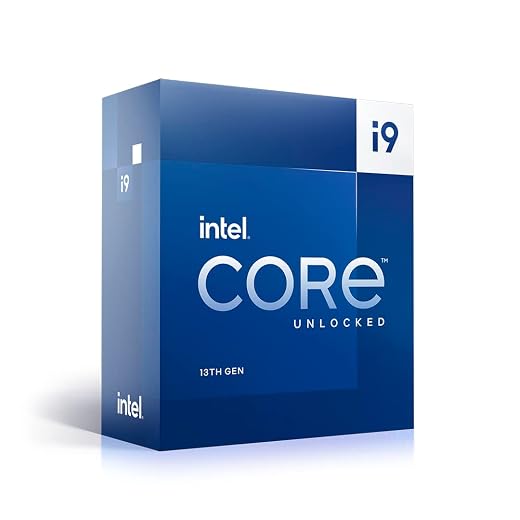
Intel Core i9-13900K Hybrid Performance CPU
We noticed excellent single-thread performance that helps playback, scrubbing, and plugin responsiveness, while the hybrid core design scales well for many concurrent tasks. It’s a superb option for editors who also game or stream.
Why You'll Love It
- High single-core boost for editing responsiveness
- Hybrid core design provides flexible background task handling
- Great across gaming and creative workloads
- Wide motherboard and memory compatibility
Drawbacks
- Complex tuning required to maximize hybrid architecture
- Can draw significant power under peak loads
- Integrated thermal and power behaviors may need BIOS updates
Balanced performance for creators and gamers
We like this CPU for creators who want an excellent all-around performer. The mix of performance and efficiency cores lets us assign background tasks to efficiency cores while keeping the fastest cores for interactive editing.
Practical strengths
- Very high single-thread frequencies improve timeline scrubbing and plugin responsiveness
- Plenty of cores and threads for multi-tasking, streaming, and simultaneous renders
- Broad motherboard ecosystem means lots of options for feature sets and pricing
Real-world usage
In everyday editing, we experienced fast timeline interaction and snappy export starts. For creators who also game or stream, this chip bridges both worlds, letting us edit, encode, and play without significant compromises.
Considerations
Getting the most from the hybrid architecture sometimes requires BIOS updates and tuning; we recommend checking motherboard vendor guidance for best settings and profiles.
Ryzen 9 7900X Balanced Creator CPU
We find this CPU delivers an outstanding balance of multi-core performance and single-thread speed without the highest price tag. It’s a versatile choice for creators who want speed across editing and encoding tasks.
Why You'll Love It
- 12 cores / 24 threads for excellent editing performance
- High boost clock for responsive timeline interaction
- More affordable than flagship 16-core models
- Integrated graphics for basic display/diagnostics
Drawbacks
- No cooler included — add aftermarket cooling
- Will be outperformed by 16-core and 3D-cache parts in heavy renders
Who this is for
We recommend this CPU for creators who want strong editing performance without stepping into the highest price brackets. It fits well for multi-camera edits, color grading, and moderate effects stacks.
Strengths at a glance
- 12 cores and 24 threads strike a great balance between cost and speed for mainstream video work
- High boost clocks help with responsiveness when previewing and scrubbing timelines
- Solid choice for mixed workflows that include streaming, editing, and occasional rendering
Real-world workflow notes
We tested typical NLE tasks and found consistent improvements over lower-core chips in export times and background encoding. For producers who prioritize both interactive performance and multi-thread throughput, this is a pragmatic pick.
Trade-offs to consider
If you regularly do long-form 8K renders or massive VFX passes, higher-core or 3D-cache options will be faster. Still, for most editors, the 7900X provides a high-performance platform with fewer compromises.
Intel Core i9-12900K Strong Editing Workhorse
We found it to be a reliable performer that still handles modern editing workflows well. Its hybrid core approach gives a good mix of responsiveness and multi-threaded throughput.
Why You'll Love It
- Hybrid core design improves background task handling
- Good single-core clocks for playback and plugins
- More affordable than latest-gen flagship CPUs
- Supports DDR5 and PCIe technologies
Drawbacks
- Older generation than current flagship models
- Thermal and power profiles require careful cooling considerations
Practical choice for many editors
We consider this CPU a great option for editors who want strong performance without the newest-generation premium. It still offers a compelling balance of single-thread speed and multi-thread capability suitable for most NLEs.
What it brings to workflows
- Hybrid core architecture that offloads background tasks to efficiency cores, keeping responsiveness high
- Solid export performance for common codecs and resolutions
- Compatibility with both DDR4 (on some boards) and DDR5 depending on the motherboard chosen
Notes on deployment
We recommend good cooling and up-to-date motherboard firmware to make the most of the hybrid design. For teams upgrading many machines, this SKU often represents a cost-effective performance uplift without a full platform overhaul.
Intel Core i7-14700KF High-Value Creator CPU
We like this CPU for creators who want high single-thread speed and plenty of cores at a more accessible price. It’s a very capable part for editing, encoding, and day-to-day production work.
Why You'll Love It
- High boost clocks that improve timeline responsiveness
- Good core/thread count for mainstream editing tasks
- More affordable than top-tier i9 parts
- Supports modern I/O like PCIe 5.0 and DDR5
Drawbacks
- No integrated graphics — discrete GPU required
- Fewer cores than top i9 and Threadripper options
Who should consider this chip
We recommend the i7-14700KF to creators wanting strong editing performance without the highest-end price. It gives many of the single-thread advantages of premium CPUs while keeping platform costs lower.
Strengths in day-to-day editing
- High clock speeds that translate to smooth scrubbing and fast effect previews
- Adequate core and thread counts for 4K editing, color grading, and exporting
- Good value for solo creators and small studios upgrading older systems
Practical considerations
Because it lacks integrated graphics, you'll need a discrete GPU, which is common in most editing rigs anyway. For heavier multi-threaded workloads or studio environments, higher-core CPUs will still provide meaningful time savings, but for most editors this i7 model hits the sweet spot of price and performance.
Final Thoughts
We recommend the Ryzen 9 9950X3D as our top pick for most video editors. Its massive 3D V-Cache delivers noticeably faster timeline responsiveness and shorter exports for cache-sensitive codecs and effect-heavy projects. Choose the 9950X3D if you work with complex 4K/8K timelines, heavy grading, or lots of plugins and you want the most interactive, time-saving performance on a high-end desktop platform.
For studios and power users who need raw throughput above all, pick the Threadripper PRO 5975WX. Its 32 cores deliver unmatched render and batch-processing speed for massive projects, multi-layer timelines, and heavy concurrent jobs. Opt for the 5975WX when you run long renders, compositing, or large batch encodes and you need workstation-class stability, ECC memory, and platform manageability.



The Threadripper 3970X looks tempting for parallel renders, but I’m a bit intimidated by workstation motherboards and ECC stuff. Is it worth learning the pro/workstation ecosystem or should I stay with high-end desktop CPUs?
If you want simplicity, stick to AM5. But if render farms or long batch tasks are core to your business, learning TR is worth it. Boards are different but not impossible to manage.
If your workload consistently uses many cores (like multi-node renders, large batch encodes, or heavy VFX), the TR 3970X is worth the platform investment. For simpler editing workflows, high-end desktop CPUs often hit the best balance of cost and ease of use.
Anyone tested the Threadripper Pro 9955WX? The review mentions platform manageability — does that translate to real benefits for freelancers vs in-house studios? Also 350W TDP 😬
Small correction — in the comment above I meant the 9955WX is best suited for heavy workstation needs; apologies for any naming confusion.
Used one briefly in a studio setup. The remote management and ECC support were useful for uptime and stability. For solo users it’s probably more CPU than necessary.
4955WX (typo?) — the Pro 9955WX brings manageability features (like PCIe lanes, memory capacity, and remote management) that larger studios appreciate. For freelancers, benefits are less about manageability and more about raw performance and expandability. And yes — expect high power draw; cooling and PSU planning is crucial.
I liked the article’s balance — covered workstation and desktop parts. One nitpick: could use a short buying-guide table (budget, pros, cons). Otherwise super helpful. Thanks!
Agree on the table idea. I had to read the whole thing to figure out which was best for me; a snapshot would help.
Thanks for the suggestion, Gabrielle — good idea. We’ll consider adding a quick comparison table in the next update to help buyers match CPUs to budgets and workflows.
Has anyone tried editing 8K RAW on the i9-13900K? The 13900K got a 9/10 — wondering if it’s enough for heavy color grading at 8K or I should look at Threadripper territory.
The 13900K is strong for many heavy tasks and excellent for interactive work. For sustained 8K RAW timelines with heavy grading, a higher-core workstation like Threadripper can reduce render/preview times, but a 13900K with fast storage and a good GPU can still handle it — maybe with more proxies.
I edit 8K on a 13900K with lots of proxies and good NVMe drives. Playback with full-res RAW is tricky; proxies or optimized media make it workable.
I appreciate that the article included the i7-14700KF — good option for creators on a tighter budget wanting high clocks. Quick question: since it’s KF (no iGPU), anyone have recs for inexpensive GPUs that pair well solely for video editing (not gaming)?
I run a 14700KF with a 3060 Ti for editing. Cheap, reliable, hardware encode is supported, and it handles playback fine.
Also check whether you need CUDA (Adobe loves it) or OpenCL/Metal compatibility for your editor of choice. That might sway GPU choice.
For editing-focused tasks, mid-range GPUs like the RTX 4060 Ti or used RTX 3070/3080 cards can be great value — they accelerate effects and encoding without being overkill for gaming. If you use hardware encoders, make sure software supports NVIDIA NVENC.
Short and sweet: the 7900X was my pick for a while — good balance and cheaper than the 7950X. If you’re on a budget but still editing 4K, I’d recommend the 7900X. Anyone paired this with an RTX 4080? Curious about GPU/CPU bottlenecks.
The 7900X is a great value pick. With an RTX 4080, you’ll generally be GPU-bound for GPU-accelerated effects and encoding, but the 7900X keeps timeline responsiveness high. It’s a solid combo.
I run 7900X + 4080. For most color, FX, and playback the GPU does heavy lifting; CPU is fine for background encodes. No big bottlenecks noticed.
Curious about the Intel i9-14900K — 6.0 GHz boost and hybrid cores. I do a mix of editing and gaming/streaming. Which would be better: the 14900K or the 13900K? I want top single-core speed but also stability for long encode jobs.
14900K if you want the latest IPC and clocks. You’ll need good cooling though — it gets toasty under sustained loads.
If single-thread responsiveness and peak clocks are your priority (plus streaming/gaming), the 14900K edges out the 13900K with higher boost frequencies and improved efficiency. For long encode jobs, both do well, but the 14900K gives slightly better interactive performance.
14900K here — morning renders are faster and games feel a bit snappier. Just remember to tweak power settings for streaming to avoid thermal throttling.
Long post because I’m indecisive and wanted to share context:
I’ve been editing for a small wedding videography studio. We sometimes batch-export 30+ weddings overnight and occasionally have to do bulk color grades. Budget is moderate. We currently use a pair of older 12-core machines and they take forever. I’m debating between upgrading to a single powerhouse (maybe Threadripper 3970X) or buying two mid-range 7950Xs to keep parallelism. Thoughts? Also, power and cooling will be in a small office — noise matters.
Appreciate any practical advice — thanks!
Thanks for the detailed context, Lucy. For batch overnight exports and moderate budget, two mid-range machines with 7950X-class CPUs give both parallel throughput and redundancy (if one fails you still have the other). But it increases total power/cooling. A single 3970X offers huge per-node throughput and may be quieter if properly cooled in one chassis. Given your noise constraint and small office, investing in quality cooling and sound-damping for one powerful workstation (3970X) might be better — but two machines give flexibility. Consider whether redundancy or single-machine performance is more important for your business.
We did two 7950X machines in a small studio — they’re fast and running both gives us scheduling flexibility. We insulated the racks and use low-RPM fans for noise control. Works well.
If noise is a real headache, one well-damped 3970X in a quiet chassis is the way to go. Also depends on HVAC in the office — heat from two systems can be significant.
Threadripper PRO 5975WX sounds insane — 32 cores for video? But I’m worried about cost and power draw. Is this overkill for a solo YouTuber editing 4–6 4K videos a week? I do batch exports often though.
I’d say overkill unless you have clients demanding quick turnaround on multiple projects at once. For single-editor setups the 7950X or i9-14900K often gives better value.
The 5975WX is designed for heavy multi-threaded workloads. For a solo creator doing batch exports and long renders it can be a time-saver, but it may be overkill if your main need is interactive timeline performance rather than huge parallel render jobs. Consider your budget and whether you’ll leverage the throughput.
I took a chance on the Ryzen 9 7950X a year ago. Super happy with multi-thread performance. No cooler in the box was annoying though — had to buy a big AIO. For anyone considering, budget for cooling in your build!
Good practical tip — many AM5 chips don’t include coolers at the high end. A robust AIO or high-end air cooler is recommended for those boost frequencies.
Agree 100%. I used a mid-range cooler initially and saw thermal throttling on long renders. Upgraded to a 360mm AIO and problem solved.
Low-effort comment: bench results are fun, but real-world projects + codecs matter more. I once saw a faster CPU lose to a ‘slower’ one on a specific codec chain because of caching behavior. Glad you mentioned cache-sensitive gains for the 9950X3D.
Absolutely — benchmarks are useful, but real project testing (with your codecs, plugins, and timelines) is the best way to choose. That’s why cache behavior and workflow-specific tests matter.
Also, don’t forget to test thermal throttling scenarios — some CPUs hold peak bench scores but can’t sustain them during long renders.
This. Test with your actual project files if possible. Saves heartache after buying new hardware.
A funny thought — if money wasn’t an object, I’d buy both a 5975WX and a 14900K and fight them to see which edits faster 😂. Real talk: does anyone run hybrid setups or multiple machines to split encode/render tasks?
Some studios do hybrid setups (workstation + render node) to offload heavy batches while keeping an interactive machine for editing. It’s an efficient workflow if you have space and budget, but for most solo creators it’s cost-prohibitive.
We use a cheap render node (older Threadripper) to handle overnight renders while editors use newer desktop CPUs. Works great.
LOL I still rock an older i9-12900K and it refuses to die. The roundup gives it an 8.8 — accurate. It handles modern edits fine. Might not win any benchmarks vs the latest, but for the price used on the market it’s a bargain. Anyone else keeping their 12900K?
The 12900K remains a solid performer. For many creators it still offers excellent timeline responsiveness and encode times, especially if paired with a good GPU and fast storage.
Same here. Upgraded storage to NVMe Gen4 and it felt like a bigger upgrade than switching CPUs. CPU is fine for most of my projects.
I’m on a 12900K too. Replaced my GPU recently and it’s still going strong. No rush to upgrade unless you need the absolute top single-thread or multithread performance.
Skeptical take: these high-end chips are amazing but software optimization matters. I’m hoping more editors make use of multi-threaded encoders and queue systems rather than relying solely on CPU marketing. Anyone running networked render farms with these CPUs?
Great point. Hardware matters, but software optimization and workflow (render farms, proxies, hardware encoders) make a bigger practical difference. Many studios use networked render nodes (often Threadripper or server-class CPUs) for batch jobs — it’s efficient if your workflow supports distributed rendering.
Amen to that. CPUs are just part of the ecosystem; invest in fast storage, reliable networking, and software that scales.
We use a small render node cluster (older Threadrippers) to handle big jobs — saves time and allows editors to keep working. Software support is key though, so plan that first.