
We put feel, battery life, and productivity to the test—could the MX Keys S actually make us ditch Apple’s sleek Magic Keyboard?
Ready to choose? We put the Logitech MX Keys S and Apple Magic Keyboard head-to-head to find which we recommend, previewing design, typing feel, features, battery life and value so you can decide quickly and confidently, without wasting any time.


Logitech MX Keys vs MX Keys S: 5 Key Differences
Design, Build & Portability: Who Looks and Feels Better?Materials & Aesthetics
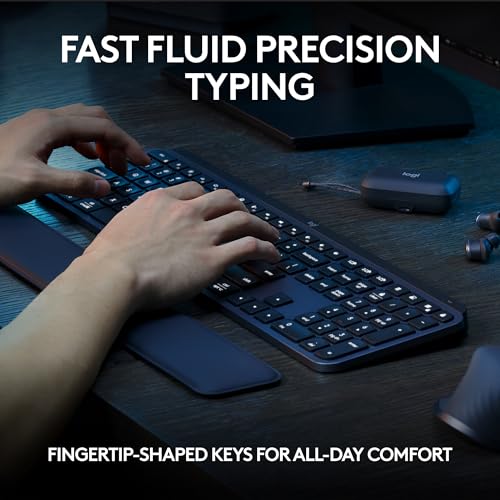
We love how different these two design philosophies are. The MX Keys S feels purposeful: a dense, matte plastic chassis with sculpted, concave key wells that guide your fingertips. It reads as professional and slightly industrial. The Magic Keyboard goes the opposite direction — ultra-thin, minimalist, and laid-back with a sleek surface and Apple’s signature low-profile aesthetic. Both look premium, but the MX Keys S pronounces “workstation” while the Magic Keyboard whispers “simplicity.”
Footprint, Weight & Stability
The numbers and behaviour matter. The MX Keys S is noticeably heavier (810 g) and wider — that mass gives it rock-solid stability and a reassuring desk presence. The Magic Keyboard is much lighter and slimmer, so it’s easier to slide into a bag but more prone to shifting if you type hard. If you prefer a keyboard that stays put during long sessions, the MX Keys S wins hands-down.
Layout & Edge Finishes
Layout differences matter for UK users. The MX Keys S is full-size with a familiar laptop-like spacing and a standard UK/ISO layout option on relevant SKUs; Apple’s British English Magic Keyboard uses Apple’s compact UK layout with slightly different key shapes and spacing around the Enter and left-shift keys. Edge finishes differ too: MX Keys S uses beveled edges and rubber feet; Magic Keyboard shows off thin aluminum-like edges and a near-flat profile.
Portability — Home Office vs On-the-Go
For a dedicated home office, we pick the MX Keys S for stability and a full-featured feel. For commuters and minimalists, the Magic Keyboard wins for sheer portability and elegance — it’s easier to toss into a laptop sleeve and go.
Typing Experience & Comfort: Keys, Travel, and ErgonomicsMX Keys S — stable, sculpted, satisfyingly deliberate
We found the MX Keys S delivers a grounded typing feel: shallow-but-not-flat key travel with concave key wells that guide fingertips into the sweet spot. Each press feels consistent across the deck, and the dense chassis prevents flex so the force you apply translates directly into text, not wobble. That stability helps accuracy and keeps our cadence steady during long sessions.
Magic Keyboard — ultra-low profile, snappy and light
The Magic Keyboard’s scissor mechanism is very low-profile and gives a crisp, slightly stiffer top-out. Travel is minimal compared with the MX Keys S, so initial strokes feel faster for short bursts. Because the whole keyboard sits flatter, wrist angle is reduced — some of us liked the neutral posture, others missed the subtle hand-rest benefit of a slightly elevated deck.
Speed, noise & fatigue — which wins the day?
We tested typing speed, noise, and comfort over multi-hour edits and saw clear tradeoffs:
- Faster for short bursts: Magic Keyboard (quicker actuation feel)
- Faster over long sessions: MX Keys S (spacing + stability increase accuracy)
- Quietest: MX Keys S (dampened, lower-frequency sound)
- Least tiring over hours: MX Keys S (contoured keys and full-size spacing reduce finger strain)
Overall, if you value long-form comfort and steadiness, MX Keys S outperforms. If you want ultra-portable, rapid keypresses for short tasks and a flatter wrist angle, the Magic Keyboard is lively and precise.
Connectivity, Features & Software: Multi-Device, Shortcuts, and CustomizationPairing & multi-device switching
We found the MX Keys S is built for juggling devices: it can pair with up to three devices over Bluetooth or use the included Logi Bolt USB receiver for a more reliable link. Physical Easy-Switch keys let us flip between computers instantly. The Magic Keyboard pairs effortlessly with a Mac or iPad and wakes up ready — but it lacks one-touch device switching; switching to another device usually means using the Bluetooth menu or re-pairing.
Platform compatibility & reliability
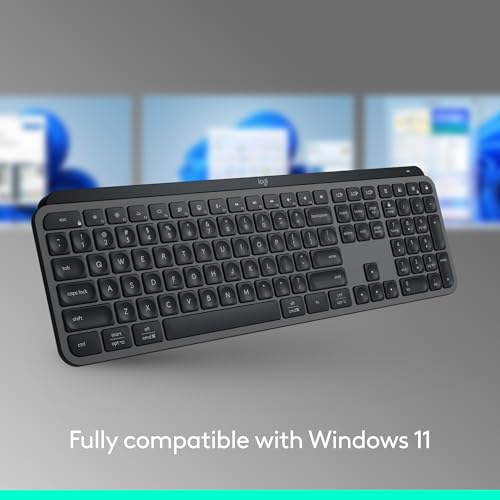
MX Keys S supports Windows, macOS, iPadOS, ChromeOS, Android and Linux at a basic level, and the Logi Bolt receiver improves stability and enterprise security on supported platforms. The Magic Keyboard is optimized for macOS/iPadOS: pairing and special keys are seamless there, but Windows users get limited native behavior.
Customization, key remaps & software
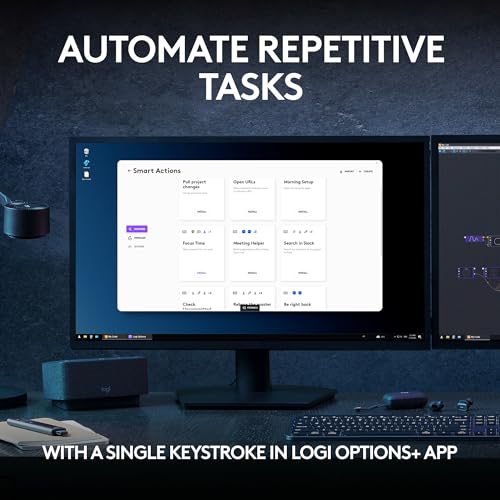
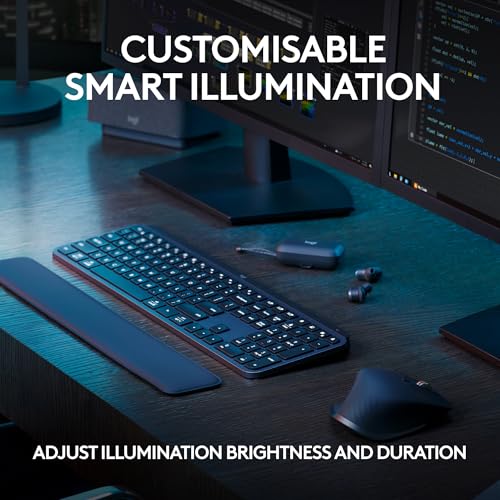
Logi Options+ gives MX Keys S deep customization: we created app-specific profiles, remapped keys, toggled function-key behavior, adjusted backlight sensitivity and built Smart Actions to automate repetitive tasks. The Magic Keyboard is mainly plug-and-play — macOS offers system-level key remapping and Function-row preferences, but there’s no official Apple app for per-app macros or hardware-level remaps.
Workflow extras: Flow, Continuity and multi-host tricks
Logitech Flow works with MX Keys S (when paired to supported machines) to move the cursor and clipboard across computers — we swapped files and typed across systems without a hiccup. Apple’s equivalent is Universal Control/Continuity: it’s exceptionally smooth between modern Macs and iPads, with zero setup for Apple-only ecosystems.
Media & function keys
Both keyboards expose media and macOS-friendly shortcuts, but MX Keys S wins on configurability (reassign F-keys, backlight controls) while the Magic Keyboard provides the cleanest, most consistent macOS shortcut layout out of the box.
Feature Comparison
Battery, Pricing & Value: Longevity vs CostReal-world battery life & charging
We tested real-world behavior and benchmarked reported numbers. The MX Keys S (1500 mAh) typically gives us roughly 10–15 days of active backlit use and can stretch to several months with the backlight off if you lean on power-saving settings. The Apple Magic Keyboard reliably lasts about a month or slightly more between charges under typical daily use. Both keyboards recharge with their included USB cables and remain usable while charging.
Power-saving features & convenience
- MX Keys S: proximity-sensing smart backlight, auto-sleep, and software controls in Logi Options+ to dial illumination and idle time down.
- Apple Magic Keyboard: highly efficient sleep/wake and no backlight to drain power — simpler, lower-maintenance battery life.
Price on Amazon & bundle value
- MX Keys S: ~£85; often ships with the Logi Bolt receiver and sometimes appears in mouse+keyboard bundles, which increases immediate out-of-the-box flexibility.
- Apple Magic Keyboard: ~£75; includes a woven USB-C charge cable and tight macOS integration but fewer extras and no receiver.
Who gets the better long-term value?
We see the MX Keys S as better value for power users and creatives who want backlighting, multi-device reliability (Logi Bolt) and configurable power settings — the extra ~£10 buys more features and flexibility. The Magic Keyboard is smarter value for Apple-first users who prioritize seamless macOS pairing, a lighter footprint and simpler battery life management.
Final Verdict: Our Pick and Who Should Buy Which
We pick the Logitech MX Keys S as our overall winner — ideal for power users craving customization and a premium typing feel.
Choose the Apple Magic Keyboard if you prioritize macOS integration, a featherlight, minimalist setup. Ready to upgrade today?



I tried both in-store briefly. The Apple key travel felt almost non-existent (in a nice way), MX had a bit more bounce. TBH neither is a bad choice.
One minor nit: the Magic Keyboard’s flatness made my wrists ache after long sessions. Switched back to a slight angle with a stand and it’s fine. No big drama. Also, MX’s programmability seemed a tad fiddly to set up but once done it was awesome.
Hope that helps — happy shopping!
Diego — what stand did you use? My wrists hate flat keyboards too.
Good practical point about wrist comfort — physical posture and keyboard angle matter a lot, regardless of model.
I’m more of a design nerd than a hardcore typist and I’ll admit: aesthetics pulled me to the Magic Keyboard at first. But after a month of serious shortcut-heavy work, the MX Keys S made me more productive. 😅
Pros for MX Keys S: customization, multi-device pairing, sturdy.
Cons: not as slim or elegant as Apple.
Pros for Magic Keyboard: looks, quiet typing, seamless Mac pairing.
Cons: limited customization without third-party apps.
If you value looks > function go Apple; function > looks go MX. Simple.
Nice summary, Lily — that’s essentially our TL;DR too. Thanks for chiming in!
If anyone wants, we can add a short compatibility/shortcut guide for both keyboards in the article — would that be useful?
Owen — agreed. MX looks good on a desk, just different vibe than Apple.
I ended up with MX Keys S for the same reason. Design is great too though, not ugly by any means.
Short and sweet: I have the Magic Keyboard (UK) and it’s lovely — quiet, light, and matches my Mac. But I can see why power users would go for the MX Keys S. Programmable keys are honestly a dealmaker if you do repetitive tasks.
Not much else to say beyond personal preference. 🙂
How’s the typing noise on the Magic? I work in a shared office and clack-clack keyboards are a no-go.
Thanks Aisha — that’s exactly what we heard from readers: if you want Apple aesthetics + simplicity, Magic is the pick; if you want customization, MX Keys S.
Tom — it’s pretty quiet, barely louder than laptop keys. Fine for an office environment imo.
Office noise was a common point — Magic is generally quieter due to the low-profile scissor switches, MX Keys S is slightly more pronounced but still subdued compared to mechanical boards.
Great comparison — thanks for doing the legwork.
I’ve been torn between the MX Keys S and the Magic Keyboard for months. I like that the MX Keys S is programmable and seems built for shortcuts/workflows, while the Magic Keyboard is unbeatable for that slim, symmetric feel on macOS. The British English layout thing is a real factor for me (I type a lot of £ and @), so that was a helpful note.
One thing I’d add: battery life and switch feel are personal. Some people prefer the shallower Apple travel, others like the MX for tactile feedback. Overall I’d pick MX Keys S if I want customization, Magic if I want minimalist Apple integration.
Curious — did you test keyboard shortcuts with both on macOS? Any hiccups switching between devices?
Glad it helped, Michael — totally agree on the battery/feel part. We found the MX Keys S gives more programmable flexibility, while the Magic Keyboard is smoother for quick typing on Mac.
Yep — the £ and @ positions mattered to me too. I almost bought the US layout by mistake once 😅
I swapped from Magic Keyboard to the MX Keys S last year. The extra programmability saved me loads of time. That said, if you’re deep into the Apple ecosystem and want the Apple feel, the Magic Keyboard still nails it.
Also, the MX’s build feels chunkier — which some people love, others don’t. I do miss the seamless Apple look, tbh.
Thanks for sharing, Ben. Your point about build feel vs. aesthetics is exactly the tradeoff many readers mention.
Ben — did you experience any issues with function keys or macOS media keys on the MX? I heard mappings can be weird sometimes.
Full disclosure: I’m picky about keyboards. Spent an embarrassingly long time comparing these two.
– MX Keys S: Love the programmability and the little rounded keycaps feel comfortable for long sessions. It connects easily to multiple devices which is great for my remote work setup. Downsides: it’s heavier and not as pretty on my desk as Apple stuff.
– Magic Keyboard (British English): So sleek and minimalist. Typing is fast and the keys are whisper-quiet. But you give up customization unless you use extra software, and some shortcuts don’t map 1:1 when you jump between Windows and macOS.
If you work across macOS and Windows, MX Keys S might be the safer bet. If you want something that ‘just works’ with a Mac and looks fab, get the Magic Keyboard. Not much middle ground here!
Nice breakdown, Claire. The cross-platform angle is crucial — MX Keys S tends to be friendlier if you switch OSes often.
Claire — your comment convinced me to try MX Keys S for my home office setup. Thanks!
Totally agree about the weight — my MX feels like it anchors the desk, which I love. But it’s less portable than the Apple one.
Ethan — exactly. If you travel a lot, Magic wins. If you’re desktop-bound, MX for the win.
One tip: if you want portability but also customization, some people use a compact programmable keyboard — but that’s another rabbit hole 😅